

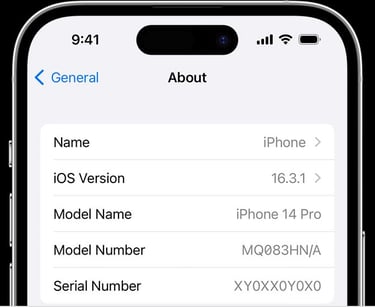
"Three-Code Consistency" is the core difference between original disassembled batteries and fake ones, essentially reflecting Apple's traceability control over battery production and assembly processes. Mastering the meaning, verification logic, and practical details of the "three codes" enables 100% identification of fake batteries, avoiding poor-quality products that compromise user experience.
Underlying Principle and Code Meanings of "Three-Code Consistency"
As a representative of a closed-loop ecosystem, Apple implements a strict traceability management system for core iPhone components (including batteries). The "three codes" correspond to three links: battery production, device assembly, and system recording. The code format follows uniform industry standards with uniqueness and correlation—fake batteries cannot replicate the complete code association logic.
1.Battery Code: The "ID Card" of Battery Cells
Printed on the battery label, the battery code typically consists of 12-16 characters, including core data such as production batch, factory code, cell model, and quality inspection information. Taking the common code format "F9Y92130XXXX" as an example: the first 3 characters "F9Y" are the factory code, indicating the battery's production plant; the 4th-7th characters "9213" represent the production batch (3rd day of the 21st week of the 9th year); the last 6 characters "XXXXXX" are a unique serial number distinguishing individual batteries.
Original batteries have three key code features:
① Clear and standardized printing with no blurriness or double images on character edges, using laser engraving or high-precision ink printing;
② Compliance with Apple's official specifications without missing or scrambled characters;
③ Queryable via Apple's official after-sales system—entering the code displays corresponding battery model, compatible device, and other information.
2.Motherboard Code: The "Association Code" for Device Assembly
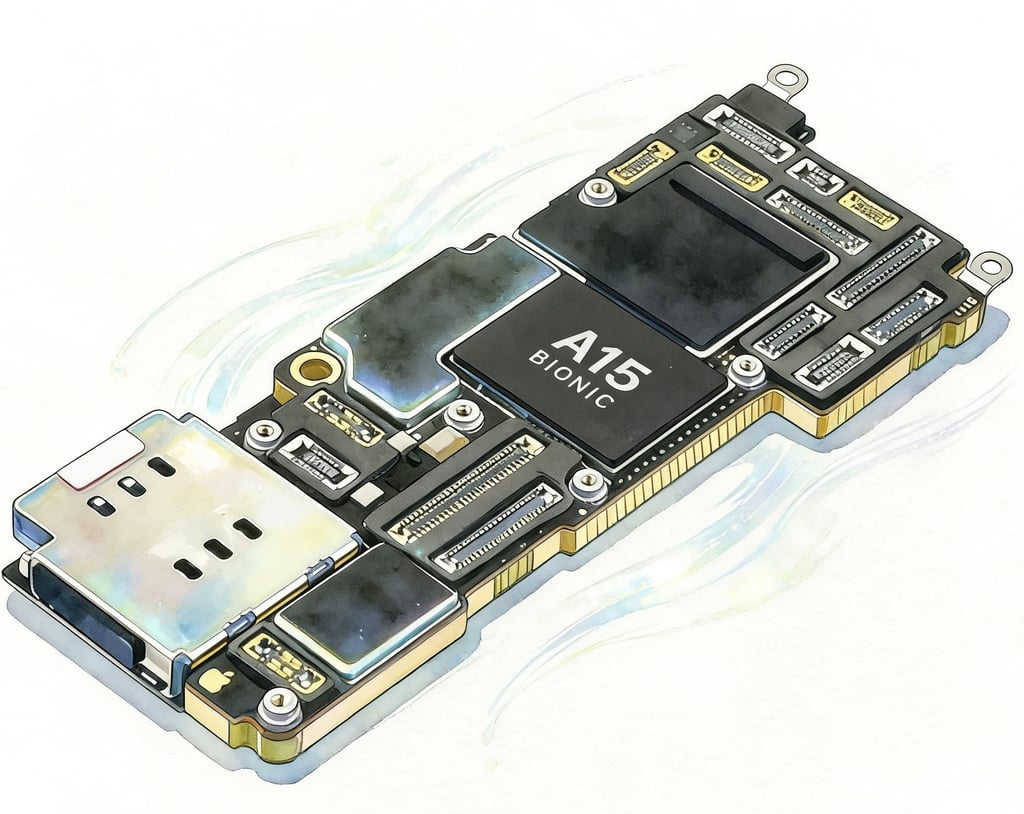
The code on the iPhone motherboard (usually a component association code derived from the IMEI) has a production batch correlation with the battery code. Apple matches and assembles motherboards and batteries from the same production batch at assembly plants to ensure hardware compatibility and stability. The motherboard code can be read via tools like i4Tools or Sandman, with the core association logic: the production batch of the battery code (first 7 characters) and the motherboard code (extracted corresponding field) have an error of no more than 3 months, and the device model is compatible (e.g., an iPhone 13 motherboard can only match battery codes for the iPhone 13 series).
3.System Code: The "Traceability Code" at the Software Level
The battery code recorded in iOS's "Parts and Service History" is a code fragment (usually the last 8 characters or core middle field) stored by the system after reading the battery's BMS chip. For original, never-replaced batteries, the system code fragment is identical to the core segment of the battery surface code; even for original disassembled batteries (removed from the same model device), the system code displays the corresponding code association record, marked as "Used" or "Original Part".
The association logic is: Battery code generated by the factory → Matched and assembled with the same-batch motherboard → System reads and records the battery code → Forming a closed-loop association of the "three codes". Fake batteries can only imitate the surface format of the battery code but cannot generate associated data matching the motherboard and system codes—this is the core logic of "three-code consistency" verification.
Step-by-Step Practical Verification
(Including Pitfall Avoidance Details)
Verifying "three-code consistency" should follow the order of "first check surface code → then verify motherboard code → finally match system code". Each step requires attention to details to avoid being misled by the merchant's fraudulent methods.
Step 1: Read the Battery Code (Core Difficulty: Obtaining the True Code)
Since the battery is installed inside the phone, reading the code requires disassembling the phone or asking the merchant to provide clear close-up photos of the battery. Focus on the following pitfall avoidance details:
For offline purchases: Ask the merchant to disassemble the phone on-site (to avoid preparing fake original battery photos in advance) and directly observe the battery surface label: Original battery labels are made of durable material, with clear printing and no yellowing or damage; fake battery labels are mostly low-quality paper, easy to tear, with blurry printing—some codes are even pasted with stickers that can be easily removed.
For online purchases: Ask the merchant to provide "multi-angle close-ups of the battery + enlarged photos of the code + photos of the battery and phone serial number in the same frame" to avoid the merchant using generic original battery photos for fraud. Focus on checking for signs of code tampering (e.g., inconsistent character depth, coverage marks).
Record the complete battery code, especially the first 7 characters (production batch) and last 8 characters (unique serial number), which are required for subsequent verification.
Step 2: Verify the Motherboard Code (Key Logic: Batch Association)
Read the motherboard code via third-party inspection tools, extract the production batch information, and conduct association verification with the battery code:
Operation steps: Connect the phone to a computer, open i4Tools, find the motherboard code in "Device Information → Motherboard Information" (some tools directly display "Component Association Code"); extract the production batch field from the motherboard code (in the same format as the first 7 characters of the battery code, e.g., "9213" for the batch).
Verification standards: ① Batch error ≤ 3 months. For example, if the battery code batch is "9213" (21st week of the 9th year), the motherboard code batch should be between "9200-9230" (3 months before and after); ② Consistent device compatibility. For example, a battery code marked for iPhone 13 Pro must match a motherboard code for the iPhone 13 Pro—if the device model does not match, it is directly identified as non-original.
Pitfall avoidance reminder: Some merchants modify the motherboard code display in inspection tools. It is recommended to cross-verify with 2-3 inspection tools (i4Tools + Sandman + iMazing) to ensure the motherboard code is authentic.
Step 3: Verify the System Code (Final Closed Loop: Software Traceability)
iOS's "Parts and Service History" is the final verification link. The display logic varies slightly between system versions, but the core verification standard is consistent:
Operation path (iOS 15.2 and above): Settings → General → About → Scroll down to find "Parts and Service History" → Tap to view battery code-related records.
Verification logic: ① Original, never-replaced battery: The system displays "Genuine Apple Part" and shows a core fragment of the battery code (e.g., last 8 characters), which is identical to the battery surface code; ② Original disassembled battery: The system displays "Used Apple Part", the code fragment matches the battery surface code, and there is no "Unknown Part" prompt; ③ Fake battery: The system displays "Unknown Part", no code fragment is shown, or the displayed code does not match the battery surface code.
Handling special cases: If the phone's system version is lower than iOS 15.2, upgrade to the latest version first for verification (merchants refusing to upgrade on the grounds of "low version" are likely hiding battery issues); if "Parts and Service History" still does not appear after upgrading, the device does not support it (models below iPhone XR), and priority should be given to auxiliary judgment through the first two steps of verification + internal resistance testing.
Code Fraud Methods of Fake Batteries and Identification Skills
Code fraud of fake batteries mainly focuses on three aspects: "imitating surface codes", "tampering with a single code", and "forging association records". Mastering the following identification skills can accurately crack them:
1.Code Format Fraud: Compare with Official Specifications
Fake battery codes often have format errors, such as inconsistent character length (12-16 characters for original vs. 10 or 18 for fake), illogical production batches (e.g., 13th month, 53rd week), or incorrect device compatibility codes (e.g., an iPhone 13 battery code marked for the "12" series). You can compare the code structure with Apple's officially announced battery code format specifications—any inconsistency indicates a fake.
2.Single Code Fraud: Cross-Verify Association
Some fake batteries copy the surface code of original batteries but cannot modify the association records of the motherboard and system codes. For example, the battery surface code shows as original, but the motherboard code batch error exceeds 6 months, or the system displays "Unknown Part". This situation of "single code match, multi-code inconsistency" is directly identified as fraud.
3.Batch Code Fraud: Check Uniqueness
To reduce costs, fake battery manufacturers use the same code in batches (i.e., "one code for multiple batteries"). Verification skill: Enter the battery code in a search engine—if a large number of photos of batteries with the same code from different sellers appear, or the search results show that the code is compatible with multiple device models (e.g., compatible with both iPhone 12 and 13), it is a batch-faked fake battery.
FAKE
Practical Scenario Suggestions
(Online + Offline)
1.Offline Purchase Scenario:
Ask the merchant to disassemble the phone on-site and record the battery code reading process with video;
Take close-up photos of the battery code with your phone, read the motherboard code and system code, and verify the "three codes" on-site;
If the merchant refuses to disassemble the phone, choose a regular store that supports "disassembly inspection" to avoid buying fake batteries.
2.Online Purchase Scenario:
Request the merchant to provide clear photos of the "three codes": close-up of the battery code, screenshot of the motherboard code from inspection tools, and screenshot of the system's "Parts and Service History";
Ask the merchant to provide code query records (screenshot of Apple's official after-sales query) to confirm the code is valid;
Choose a store that supports "7-day no-reason return + disassembly inspection". After receiving the goods, verify according to the steps—if the "three codes" are inconsistent, return immediately.
