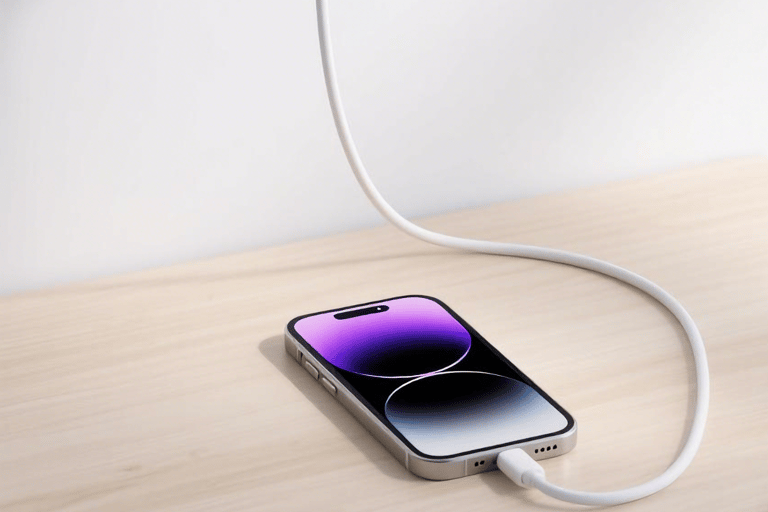
This is the most common cause of reduced battery life in used iPhones and an irreversible natural law. iPhone lithium-ion battery cells are made of active materials such as lithium cobalt oxide. With the increase in charge-discharge cycles, the crystal structure of the active materials gradually breaks down, reducing the efficiency of lithium ion intercalation and deintercalation, leading to permanent degradation of the actual battery capacity.
Five Core Causes of Battery Life Degradation
(In-Depth Analysis + Data Support)
1.Natural Cell Aging: The "Fundamental Factor" of Battery Life Decline
Battery life degradation in used iPhones is the result of multiple factors, not just battery aging. System setting vulnerabilities, hidden hardware failures, incompatible charging accessories, extreme usage environments, etc., can all cause reduced battery life. Only by accurately identifying the specific cause and adopting targeted solutions can battery life be fundamentally improved, avoiding unnecessary costs from blind battery replacement.
Apple's official data shows that after 500 complete cycles, an iPhone battery should retain at least 80% of its original capacity; after 1000 cycles, the capacity is approximately 70% of the original; after more than 1500 cycles, the capacity drops below 60%, and battery life shows a significant decline. In addition, even with a low cycle count, if the battery is stored for too long (more than 3 years), the cells will naturally age due to electrolyte volatilization and active material oxidation, resulting in capacity loss.
For example, an iPhone 12 with an initial battery capacity of 2815mAh will have an actual capacity of approximately 2252mAh (80%) after 800 cycles, and the light-use battery life will drop from the original 8 hours to about 6 hours; if the cycle count reaches 1200, the actual capacity is approximately 1970mAh (70%), and the light-use battery life may be only 4-5 hours.
2.Abnormal System Background: The Invisible "Power Killer"
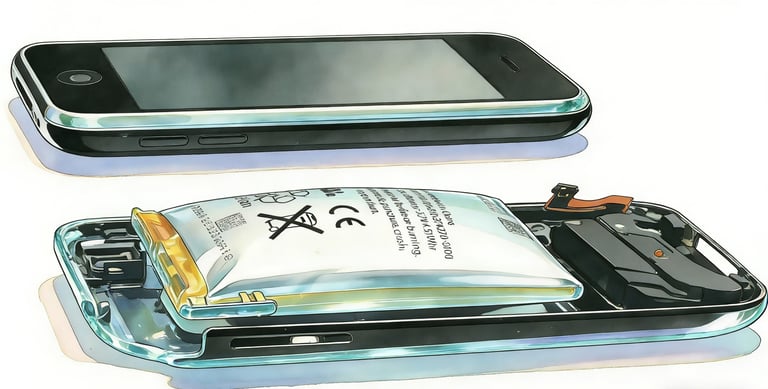
Vulnerabilities in the iOS system itself or unreasonable permission settings of third-party apps can cause apps to continuously wake the CPU in the background, running invalid processes and wasting a lot of power. This type of power consumption is highly concealed, and users often mistake it for battery aging, but it can actually be solved through system optimization.
Common scenarios of abnormal system background include: ① Some apps have "Always" location permissions enabled, continuously scanning for GPS signals even when not in use, consuming 5%-8% of power per hour; ② Excessively frequent push notifications from apps—some social and news apps send 1-2 pushes per minute, and the process of waking the screen and CPU consumes power continuously; ③ Stuck background processes caused by iOS system vulnerabilities, such as a system service abnormally occupying more than 30% of CPU resources, leading to rapid power consumption even when the phone is in standby.
According to data from third-party testing institutions, the battery life loss caused by abnormal system background can reach 20%-30% of normal battery life. For example, a used iPhone with a normal battery life of 6 hours may only have 4.2-4.8 hours of actual battery life if there is a background abnormality.
3.Associated Hardware Failures: The Easily Overlooked "Hidden Cause"
Due to long-term use or disassembly/repair, used iPhones may have hidden hardware failures that continuously consume power, manifesting as poor battery life, which is easily mistaken by users as a battery problem.
Common associated hardware failures include: ① Motherboard leakage, one of the most serious hardware issues. Aging or damaged capacitors, resistors, and other components on the motherboard can cause abnormal current leakage. Even when the phone is turned off, the battery will discharge slowly. For some severely leaking devices, the power consumption can reach 30%-50% overnight (8 hours) in standby; ② Abnormal screen backlight—aging LED beads or faulty driver chips in the screen backlight can cause excessively high or flickering backlight brightness. Even if the screen brightness is set to the minimum, the actual power consumption is much higher than normal, consuming an additional 3%-5% of power per hour; ③ RF chip failure—damage to the baseband chip or antenna can cause the phone to frequently search for signals, especially in weak signal environments. The RF module will work at high power continuously, consuming more than 10% of power per hour.
Battery life degradation caused by such hardware failures cannot be solved by replacing the battery; the faulty hardware must be repaired to restore normal battery life.
4.Incompatible Charging Accessories: The Direct Cause of "False Power"
Using non-Apple-certified chargers, data cables, or aged/damaged charging accessories can lead to low charging efficiency, preventing the battery from being fully charged and forming a "false power" phenomenon, which manifests as rapid battery life decline during use.
Apple has strict standard requirements for charging accessories. Certified chargers must meet iPhone charging protocols in terms of output voltage and current stability, and MFi-certified data cables require encrypted communication between the interface chip and the phone to ensure charging safety and efficiency. Non-certified accessories often have problems such as fluctuating output voltage and unstable current, leading to "false full charge" during charging—the system shows 100% power, but the actual battery capacity is only charged to 70%-80%. During use, the power will quickly drop to the true level, creating the illusion of poor battery life.
In addition, aged data cables (such as worn interfaces or broken wires) can cause poor charging contact, with frequent disconnections during charging. This not only prevents full charging but also accelerates battery aging, further exacerbating battery life degradation.
5.Environmental Factors: The "Catalyst" for Accelerated Battery Life Decline
The cell performance of iPhone batteries is very sensitive to temperature. Long-term use in extreme temperature environments will accelerate cell aging, affect the instantaneous power supply capacity of the battery, and lead to reduced battery life.
High-temperature environments (above 35℃) are the most harmful: when the temperature exceeds 35℃, the electrolyte inside the cells will decompose rapidly, and the aging rate of active materials will increase by 2-3 times. Long-term use in this environment can cause the battery health to drop by more than 10% within 3 months; at the same time, high temperatures will increase battery internal resistance, reduce charging efficiency, and temporarily reduce battery life. For example, using the phone outdoors at 38℃ may result in 30%-40% shorter battery life than in a room temperature environment.
Low-temperature environments (below 0℃) also affect battery life: low temperatures reduce the activity of lithium ions, leading to decreased battery discharge efficiency, manifested as temporary shortened battery life, which can be restored when returning to room temperature. However, frequent charging and discharging in low-temperature environments can cause permanent loss of cell capacity and accelerate aging.
Long-Term Optimization Suggestions
(Scientific Maintenance Plan)
1.Regularly Monitor Battery Status: Check "Battery Usage" once a week (Settings → Battery → Battery Usage) to identify abnormally power-hungry apps (e.g., an app that uses 20% of power for 1 hour of use), and uninstall or reinstall the app in a timely manner; query the cycle count once a month via "Analytics Data" to understand the battery aging progress.
2.Standardize Charging Habits: Perform 1 complete charge-discharge cycle (charge from 20% to 100%) every month to help the system calibrate battery capacity; avoid high-power operations such as gaming or video shooting while charging to reduce high battery load; enable "Optimized Battery Charging" (Settings → Battery → Battery Health & Charging → Enable) to reduce the time the battery stays at full charge.
3.Optimize System Settings: Disable unnecessary high-power features such as motion effects (Settings → Accessibility → Motion → Reduce Motion), Raise to Wake (Settings → Display & Brightness → Disable Raise to Wake), and AirDrop (turn off when not in use); set the screen brightness to automatic to avoid long-term use at maximum brightness; prioritize Wi-Fi over 5G (Settings → Cellular → 5G → Select "Auto" or "4G") to reduce power consumption.
4.Regular Hardware Maintenance: Clean the phone once every 6 months at a repair shop to remove dust and debris from the charging port, avoiding poor contact; if abnormal phone heating, unstable signal, or screen flickering is found, conduct hardware testing in a timely manner to eliminate potential faults.
Through the above long-term optimization measures, even used iPhone batteries with around 80% health can improve battery life by 20%-30% and extend battery service life.