
After buying a used phone, the screen may suddenly experience touch failure, black screen, or worsening residual images. Many buyers rush to small repair shops and end up being overcharged. In fact, most sudden malfunctions can be handled emergently first, which can both judge the severity of the problem and preserve evidence for rights protection. The key is not to repair blindly—lock in liability before taking action.
3 Common Sudden Malfunctions: Emergency Handling Steps
(Operable On-Site/After Receipt)
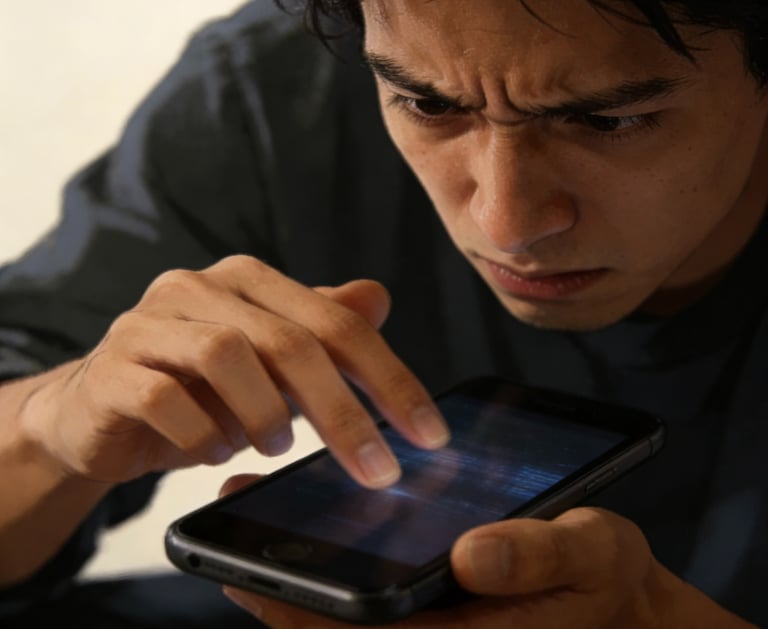
(I) Sudden Touch Failure/Unresponsive Touch (Local Area Not Responding)
This malfunction is mostly related to loose cables, residual liquid ingress, or system lag. First, perform 3 emergency checks:
1. Eliminate system issues first: Quickly press Volume Up → Volume Down → Long-press Power Button (force restart). After restarting, open the keyboard to test the faulty area. If it returns to normal after restart, it’s likely caused by system lag. Later, remember to clear the background regularly and avoid running multiple large apps at the same time;
2. Clean the screen to eliminate interference: Wipe the faulty area with a microfiber cloth dipped in a small amount of water (wring out thoroughly) to remove oil or dust—sometimes surface stains can simulate touch failure. If it recovers after cleaning, no additional processing is needed;
3. Check for hardware problems: If touch failure persists after restarting and cleaning, use another phone to shoot a video of the malfunction (clearly showing the "unresponsive" area and scenario), and check the screen edges for signs of water ingress (irradiate at an angle with strong light). Do not press the screen or attempt to disassemble the phone at this time to avoid worsening the malfunction. Contact the seller directly to protect your rights.
Rights Protection Script: "I received the phone just 3 days ago, and suddenly the right side of the screen became unresponsive today (video taken). It didn’t recover after restarting and cleaning. I suspect it’s a screen hardware problem. According to our previous agreement, please arrange a return and refund or bear the repair cost."
(II) Sudden Black Screen/Unable to Light Up (Sound but No Display)
This situation needs to distinguish between screen malfunction and motherboard issues first. Emergency handling can avoid misjudgment:
1. Confirm if it’s a "false black screen": Long-press Power Button + Volume Down Button for 10 seconds (force restart), and irradiate the screen with a flashlight at an angle—if you can see a faint image, it means the backlight module is faulty (the screen itself is not broken); if there’s no image at all but there’s a startup sound, it’s likely that the screen cable is loose or damaged;
2. Eliminate power issues: Connect the original charger to charge for 30 minutes (avoid using non-original fast chargers), and observe if there’s a charging prompt on the screen during this period. If it still can’t be lit up after charging, stop charging to prevent motherboard short circuit;
3. Preserve key evidence: Record a video of "sound but no display" (e.g., play music and show the screen is unresponsive), take screenshots of the phone purchase record and the seller’s previous "screen fault-free" commitment, and record the time and scenario of the malfunction (e.g., "sudden black screen during normal use, no drop or water contact").
Pitfall Avoidance Reminder: Don’t believe the claim that "a black screen means the motherboard is broken and repair costs 800 RMB"—80% of black screens on used phones are due to screen cable or backlight issues, and the repair cost is much lower than the motherboard. Blindly repairing the motherboard will lead to being overcharged.
(III) Sudden Worsening of Residual Images/New Dark Spots
This mostly occurs on OLED screens, which may be the outbreak of previously hidden burn-in hazards. The key to emergency handling is to lock in evidence:
1. Fix the malfunction state: Open a pure white background (blank Notes), take clear photos and videos with another phone, and mark the shooting time (to prove the malfunction occurred after receipt, not concealed at the time of purchase);
2. Stop accelerating wear: Immediately turn off high brightness and Always-On Display, switch to a dark wallpaper, and avoid using apps that keep the screen on for a long time such as videos and games to prevent residual images from worsening further;
3. Verify the purchase commitment: Check the transaction records. If the seller previously promised "no burn-in, no dark spots", directly present the "screenshot at the time of purchase + current malfunction video" and request a return or discount compensation.
Rights Protection Script: You said the screen had no burn-in at that time, but now only after 1 week of use, the residual images suddenly worsened (comparison photos taken). It’s obvious that the defect was concealed before. According to the agreement, I request a return. Please handle it as soon as possible.
Rights Protection Key: 3 "Don’ts" + 2 "Musts"
(I) 3 "Don’ts" (Avoid Rights Protection Failure)
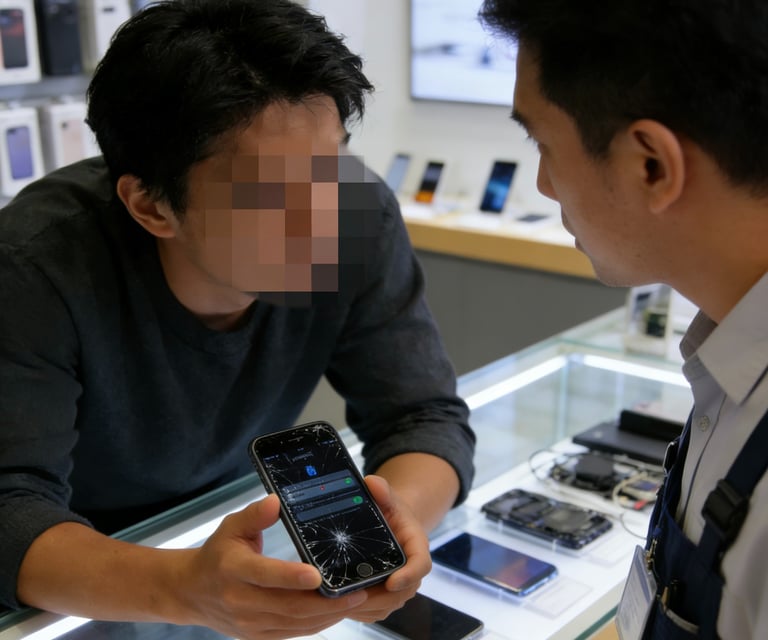
1. Don’t disassemble the phone privately or go to a small repair shop: After disassembly, the seller will refuse responsibility on the grounds of "man-made damage". Third-party repairs will destroy the original malfunction state, leading to lack of evidence for rights protection;
2. Don’t delete chat records/transaction vouchers: Keep all communication records with the seller (especially commitments about the screen), payment screenshots, and receipt videos intact;
3. Don’t delay the rights protection time: Contact the seller within 24 hours of the malfunction. The difficulty of platform rights protection will increase significantly after 72 hours. Try to put forward demands within the agreed warranty period.
(II) 2 "Musts" (Improve Rights Protection Success Rate)
1. Must provide a "complete evidence chain": Include "screenshot of the seller’s commitment at the time of purchase + current malfunction video + emergency handling record". The more complete the evidence, the more likely the platform is to support the buyer;
Must clarify demands: Don’t vaguely say "the screen has a problem". Directly put forward specific requirements, such as "return and refund", "the seller bears the official repair cost", or "200 RMB discount for self-repair", to avoid time-consuming repeated communication.
Emergency Tool List
(Prepare in Advance, Be Prepared)
1. Microfiber cloth: Used to clean the screen and eliminate interference;
2. Phone stand: Fix the angle when shooting malfunction videos to ensure clear images;
3. Original charger: Check for power issues when the screen is black, avoiding new malfunctions caused by non-original chargers;
4. Transaction record screenshot folder: Classify and save chat records and purchase vouchers in advance for quick retrieval.
