
The screen is the core of the user experience for used iPhones. However, scams where refurbished or assembled screens are passed off as original are frequent in the market. Such non-original screens have hidden dangers such as touch failure, distorted display, and easy damage. Mastering the core characteristics of original screens, multi-dimensional identification methods, and true-fake comparison skills can accurately avoid screen traps and purchase high-quality used iPhones with both experience and lifespan guarantees.
Common Types and Core Differences of Used iPhone Screens
(Why Identification Is Necessary)
iPhone screens in the second-hand market are mainly divided into four categories, with vastly different quality and experience. Merchants often pass off inferior products as high-quality ones:
Original Used Screen (High-Quality)
Core Definition: Disassembled from normally used iPhones, with the display layer, touch layer, and outer glass of the screen never replaced; only the backlight or cable may be replaced.
Quality Characteristics: Display effect and touch sensitivity are consistent with new phones, and lifespan is close to that of original new phones.
Market Price: 800-2000 RMB (depending on model)
Risk Points: No obvious risks; need to confirm no burn-in or bright spots.
Original Repaired Screen (Medium-Quality)
Core Definition: After the outer glass of the original screen is damaged, it is replaced with high-quality third-party glass, retaining the original display layer and touch layer.
Quality Characteristics: Normal display effect, touch sensitivity close to original; lifespan depends on the outer glass lamination process.
Market Price: 500-1200 RMB
Risk Points: The lamination process is prone to dust ingress, the outer glass is fragile, and edges are easy to degum.
Refurbished Screen (Low-Quality)
Core Definition: Recycle damaged original screens, replace them with inferior display/touch layers + refurbished outer glass, and reassemble.
Quality Characteristics: Display discoloration, uneven brightness, occasional touch failure; lifespan 1-2 years.
Market Price: No clear range
Risk Points: Prone to burn-in, touch disconnection, and possible swelling in high-temperature environments.
Assembled Screen (Low-Quality)
Core Definition: Completely non-original screens produced by third-party manufacturers, without any original components.
Quality Characteristics: Severe display distortion, low brightness, obvious touch delay; lifespan < 1 year.
Market Price: No clear range
Risk Points: Extremely prone to touch failure, screen cracking, and even affecting motherboard power supply.
Core Identification Logic: Focus on distinguishing "original screens (used/repaired)" from "non-original screens (refurbished/assembled)". Repaired screens can be chosen based on price and craftsmanship, while refurbished/assembled screens should be resolutely avoided.
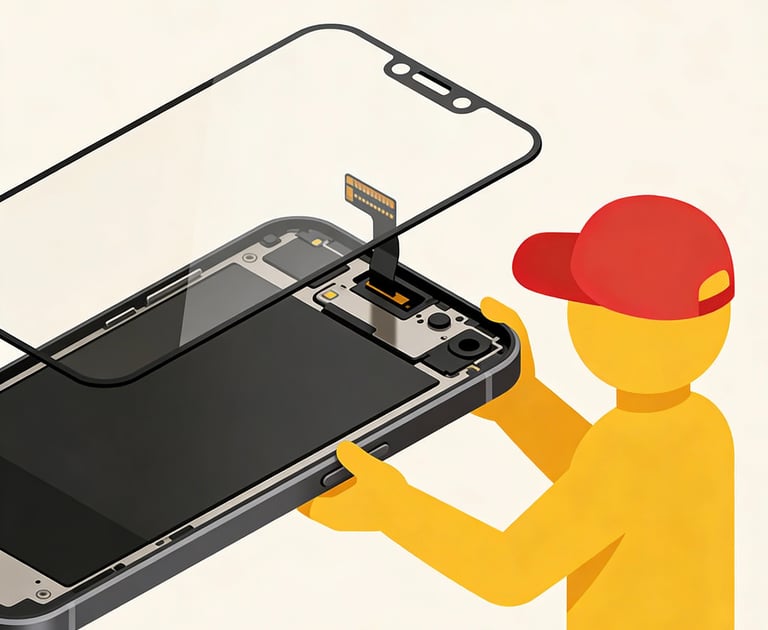
Core Identification Methods for Original vs. Non-Original Screens
(Scenario-Specific Operation)
1. Appearance Detail Identification Method (Easiest to Operate, Suitable for All Users)
Quickly make a preliminary judgment through appearance characteristics such as screen edges, cables, and codes:
Fit between Screen Edge and Middle Frame:
① Original Screen: Uniform gap (≤0.1mm), no excess glue or burrs, closely fitted with the middle frame, no looseness when pressing the screen edge;
② Non-Original Screen: Uneven gap (>0.3mm in some positions), common excess glue (exposed white/black colloid), slight looseness may occur when pressing the edge, and even a "creaking" sound.
Screen Cable and Interface (Disassembly Check, Suitable for Offline Purchase):
① Original Screen: Flexible and tough cable, printed with Apple's official code (e.g., "Apple Inc. 202X"), uniform gold plating on the interface, no oxidation marks;
② Non-Original Screen: Stiff and easy-to-break cable, no official code or blurred code, thin gold plating on the interface, easy to oxidize and turn black, and even obvious solder joints.
Outer Glass and Oleophobic Coating:
① Original Screen: Uniform oleophobic coating, water droplets on the screen form complete water beads, sliding without resistance, and the oleophobic coating covers the entire screen (including edges);
② Non-Original Screen: Uneven oleophobic coating, water droplets easily spread (water film shape), sliding with astringency, and the oleophobic coating on the edges is easy to fall off (obvious resistance when wiping the edges with paper towels).
Earpiece and Sensor Openings:
① Original Screen: Smooth edges of the openings, no burrs, accurately aligned with the earpiece mesh and sensors, no offset;
② Non-Original Screen: Rough edges of the openings, possible burrs or excess glue, alignment deviation with the earpiece mesh >1mm, and even blocking part of the sensor (causing Face ID failure).
2. Display Effect Identification Method (Core Identification Dimension, Intuitive Distinction)
There is a huge gap in display hardware between original and non-original screens, which can be quickly distinguished through the following tests:
Brightness and Uniformity Test:
① Operation: Adjust the screen brightness to the maximum and display a pure white background (Settings-Wallpaper-Pure White);
② Original Screen: Uniform brightness (no dark corners or light spots), maximum brightness meets official standards (e.g., iPhone 13 maximum brightness 800 nits), no flicker at minimum brightness in dark environments;
③ Non-Original Screen: Low brightness (maximum brightness <500 nits), dark corners easily appear at the edges, light spots may be present in the center, and obvious flicker is visible to the naked eye in dark environments.
Color and Discoloration Test:
① Operation: Display standard color cards (red, green, blue, white, black) and compare color reproduction;
② Original Screen: Full and real colors, no discoloration (red not orange, green not yellow), pure black (no grayish), white without cold-warm deviation;
③ Non-Original Screen: Red is orange/dark, green is yellow, black is grayish (still visible whitish when brightness is minimized), white is cold (bluish) or warm (yellowish).
Burn-in and Dead Pixel Test:
① Operation: Use a "dead pixel detection APP" (e.g., Dead Pixel Detect) to display red, green, blue, white, and black solid colors in turn, and carefully observe the screen;
② Original Screen: No bright spots (colorful dots on white background), dark spots (black dots on black background), no burn-in marks (residual marks after long-term display of the same screen, such as status bar shadows);
③ Non-Original Screen: Prone to multiple bright spots/dark spots, and refurbished screens are likely to have slight burn-in marks (need to observe carefully on a pure white background).
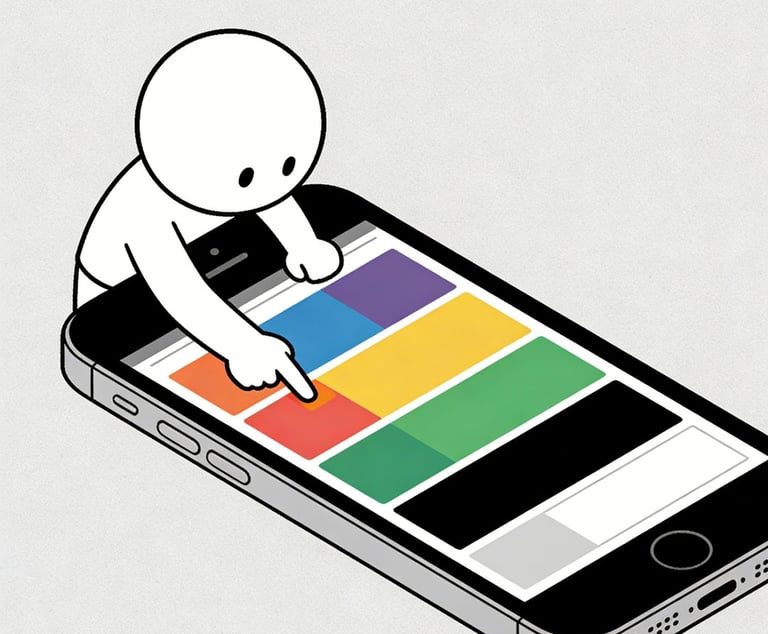
3. Touch Sensitivity Identification Method (Avoid "Touch Traps")
The touch layers of non-original screens are mostly inferior products, prone to disconnection and delay:
Basic Touch Test:
① Operation: Slide quickly on the screen with your finger (e.g., swipe WeChat, turn pages), and click icons on the edge of the screen (four corners and frame positions);
② Original Screen: Smooth sliding without lag, accurate response to edge clicks, no "inaccurate" or "unresponsive" clicks;
③ Non-Original Screen: Occasional lag when sliding, delayed or unresponsive edge clicks (especially the four corners of the screen), and missed touches may occur with rapid consecutive clicks.
3D Touch/Haptic Touch Test (Supported Models):
① Operation: Enable the function in Settings-Accessibility-Haptic Touch, and press the APP icon to test the response to different pressures;
② Original Screen: Accurate pressure sensing, different pressures correspond to different functions (e.g., light press to preview, heavy press to open), no false triggers;
③ Non-Original Screen: Pressure sensing failure (only ordinary clicks can be recognized), or false triggers (light press triggers heavy press function), some non-original screens do not support this function at all.
Low-Temperature Touch Test (Advanced Verification):
① Operation: Place the phone in an environment below 10℃ (e.g., refrigerate in the refrigerator for 5 minutes, note sealing and moisture protection), and test the touch immediately after taking it out;
② Original Screen: No decrease in touch sensitivity, normal sliding and clicking;
③ Non-Original Screen: Obvious touch lag, and even temporary failure in some areas (recovers after temperature rises).
4. Professional Parameter Identification Method (100% Accuracy, Suitable for Rigorous Users)
Query the screen serial number and parameters through professional tools to confirm whether it is original:
Recommended Tools: iMazing (computer terminal), Aisi Assistant (mobile terminal);
Operation Steps:
① Connect the phone to the computer, open iMazing, and enter "Device Details-Hardware-Screen";
② Check the screen serial number and manufacturer information: The original screen serial number starts with "Apple" or official partner codes (e.g., "LG", "Samsung"), and the manufacturer displays "Apple Inc.";
③ Non-Original Screen: The serial number is irregular (mostly garbled), the manufacturer displays a third-party brand (e.g., "BOE", "Tianma", without Apple authorization logo), and some non-original screens cannot query screen parameters.
Screen Pitfall Avoidance Skills in Different Scenarios
1. Online Purchase Pitfall Avoidance (No Physical Contact)
① Request the merchant to provide "screen detail video + display test video + touch test video":
Detail Video: Need to shoot the screen edge, earpiece opening, and cable interface (if disassembled) to clearly show no excess glue or looseness;
Display Test Video: Continuously shoot the entire process of color card display, brightness adjustment, and dead pixel detection to prove no discoloration or dead pixels;
Touch Test Video: Shoot rapid sliding, edge clicking, and 3D Touch testing to prove normal touch.
② Request a screenshot of the screen serial number query: Query the screen parameters through iMazing to confirm that the manufacturer is Apple or an official partner;
③ Agree on "returnable for screen authenticity issues": Clearly state in the purchase contract that "within 7 days after receiving the goods, if the screen is detected as non-original (refurbished/assembled), unconditional return and compensation for testing fees + freight are allowed".
2. Offline Purchase Pitfall Avoidance (On-Site Verification)
① Bring your own test tools:
Mobile Terminal: Download dead pixel detection APP and color card pictures in advance;
Auxiliary Tools: Strong light flashlight (irradiate the screen edge to check for excess glue and dust ingress), paper towels (test oleophobic coating);
② Complete the full set of "appearance + display + touch" tests on site:
Appearance: Irradiate the screen edge with a flashlight to check for gaps, excess glue, and oleophobic coating;
Display: Adjust to maximum/minimum brightness to test color, uniformity, and dead pixels;
Touch: Test rapid sliding, edge clicking, and 3D Touch (supported models);
③ Reject "uninformed screen replacement": Ask the merchant "whether the screen is original and whether the outer glass has been replaced", and request to indicate the screen status on the purchase certificate to avoid subsequent disputes.
3. Self-Inspection for Purchased Users (Avoid Subsequent Losses)
① If display discoloration or touch disconnection is found, immediately query the screen parameters with iMazing and judge whether it is a non-original screen combined with appearance characteristics;
② If it is confirmed to be a refurbished/assembled screen, keep the purchase certificate and test screenshots, and contact the merchant for return or compensation;
③ If return is not possible, it is recommended to replace the original screen as soon as possible (long-term use of non-original screens may cause misoperations due to touch failure, and some inferior screens may have swelling risks).
Usage and Maintenance Skills for Used iPhone Screens
(Extend Lifespan)
1. Core Habits to Avoid Screen Damage
Protect the Outer Glass: Wear a tempered film (choose high-hardness, high-transparency high-quality film) and a mobile phone case to avoid screen drops and scratches (non-original outer glass is more fragile);
Control Usage Environment: Avoid long-term use in high-temperature environments (>35℃) (e.g., exposure to the sun), high temperature will accelerate screen aging and cause burn-in; avoid use in low-temperature environments (<0℃) (non-original screen touch is prone to failure);
Avoid Long-Term Static Screens: Do not display the same screen for a long time (e.g., lock screen interface, navigation interface), especially at high brightness, which will increase the risk of burn-in (even for original screens).
2. Screen Cleaning Skills
Cleaning Tools: Use a microfiber cloth (e.g., eyeglass cloth), avoid paper towels or towels (easy to scratch the oleophobic coating);
Cleaning Method: When there are stains on the screen, gently wipe with a slightly damp microfiber cloth (do not use too much water to avoid seepage into the screen edge), do not use alcohol or cleaning agents (will corrode the oleophobic coating).
3. Emergency Handling of Common Screen Problems
Dust Ingress in the Screen: For original repaired screens, slight dust ingress can be ignored if it does not affect use. Severe dust ingress requires professional store re-lamination (avoid self-disassembly leading to more problems);
Occasional Touch Disconnection: Restart the phone first to check if it is a system problem; if it still exists after restarting, it is likely a non-original screen, and replacement is recommended;
Display Discoloration: Enter Settings-Display & Brightness-Color Filters and try to adjust to "Standard" mode; if it still cannot be improved, it is a screen hardware problem (common in non-original screens), and the screen needs to be replaced.
