The screen condition of a used iPhone directly determines its retention rate—a perfect screen can be resold for 30%+ higher than a defective one. However, most users neglect daily maintenance, leading to premature scratches, burn-in, and functional degradation. Mastering the full-process skills of screen wear prevention, core function maintenance, and resale premium can keep the screen in good condition for a long time, making it a "selling point" in second-hand transactions and achieving higher resale value.
Screen Wear Prevention: Avoid Defects from the Source
(Core Daily Usage Habits)
Screen defects (scratches, cracks, dust ingress) are the main causes of residual value decline. Dual prevention through "protection + usage habits" can reduce wear risk by 80%:
1. Hardware Protection System (Choose Suitable Accessories, Reject "Cheap Protection")
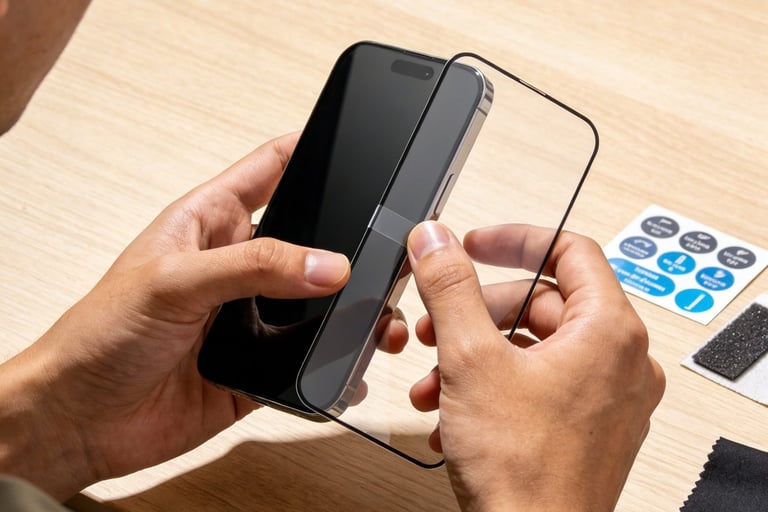
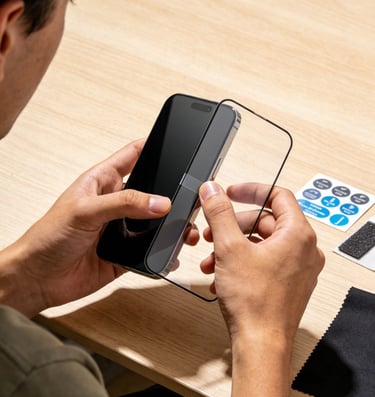
Tempered Film Selection:
① Core Parameters: Choose a tempered film with hardness ≥9H, transmittance ≥95%, and thickness 0.1-0.2mm (too thick affects touch, too thin is easy to break);
② Recommended Types: Full-screen coverage film (covers screen edges to avoid edge scratches), anti-fingerprint coating film (reduces fingerprint residue and cleaning frequency);
③ Pitfall Reminder: Avoid purchasing cheap films <20 RMB (oleophobic coating peels off easily, which may scratch the screen). Prioritize brand films (e.g., UGREEN, Baseus) with 1-year warranty.
Phone Case Selection:
① Protection Focus: Choose a "shockproof case" (e.g., silicone case, military-grade shockproof case) with a frame 1-2mm higher than the screen to prevent direct screen contact with the ground when the phone is dropped face down;
② Material Pitfalls: Reject hard plastic cases (prone to breaking when dropped, fragments scratch screen edges) and cases with metal decorations (metal parts squeeze the screen, causing touch abnormalities).
Storage and Carrying Habits:
① Independent Storage: Place the phone separately in a pocket/bag, avoid mixing with hard objects such as keys, coins, and earphones (hard object friction causes scratches);
② Avoid Squeezing: Do not place the phone under heavy objects (e.g., books, backpack bottom) to prevent dark spots from screen squeezing.
1. Scenario-Based Wear Prevention (Precise Protection for High-Risk Scenarios)
Outdoor Use (Sunlight/Sand)
Wear Type: Screen exposure (accelerated aging), gravel scratches
Prevention Measures:
① Avoid direct sunlight on the screen (enable auto-brightness adjustment to reduce brightness);
② Wear a phone case in sandy environments and clean the screen promptly after use.
Sports/Sweating Scenarios
Wear Type: Sweat corrosion (oleophobic coating peeling), phone drops
Prevention Measures:
① Use an armband/waterproof bag during sports;
② Wipe the screen with a dry cloth after sweating to avoid prolonged sweat residue.
Children's Use
Wear Type: Screen scratches, touch damage
Prevention Measures:
① Enable "Screen Time Limits" to prevent children from scratching with nails/toys;
② Wear a shockproof case + thick tempered film (0.2mm).
In-Car Use
Wear Type: Screen squeezing (bracket), sunlight exposure
Prevention Measures:
① Choose a soft car mount (avoid hard mounts squeezing screen edges);
② Place the phone in a cool place in the car when parked.
2. Minor Wear Repair Skills (Avoid Small Defects from Expanding)
Superficial Scratches (No Tactile Feel): Apply a small amount of toothpaste (non-whitening) + microfiber cloth, gently wipe in circular motions (1-2 minutes), then clean with water to fade scratches;
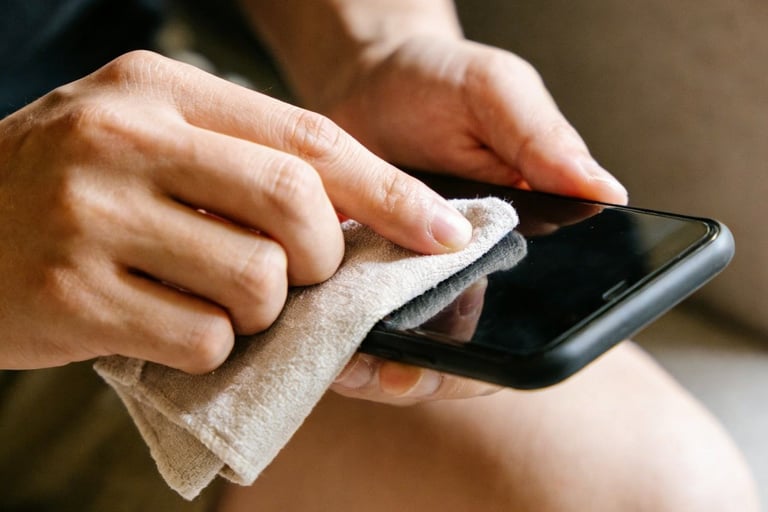
Fingerprint/Stain Residue: Wipe with a slightly damp microfiber cloth dipped in a small amount of distilled water (avoid mineral residues in tap water). For stubborn stains, use screen-specific cleaners (alcohol-free);
Edge Dust Ingress: Wrap cotton around a toothpick (avoid sharpness) and gently clean the screen edge gaps. Do not use excessive force (prevent dust from entering the screen interior).
Core Function Maintenance: Avoid Functional Degradation
(Extend Screen Lifespan)
The display effect, touch sensitivity, and True Tone/ProMotion functions of the screen will degrade over time. Scientific maintenance is required to maintain functional integrity, which is a core selling point during resale:
1.OLED Screen Burn-In Prevention (Biggest Functional Hidden Danger of Used Screens)
Burn-In Principle: Pixel points of OLED screens will experience permanent brightness attenuation after prolonged illumination, forming residual images (e.g., status bar, navigation bar shadows);
Prevention Measures:
① Avoid Long-Term Fixed Screens:
◦Do not leave the phone on the lock screen for a long time (set "Auto-Lock" time ≤1 minute);
◦Switch screens every 30 minutes during navigation/video calls (e.g., switch map perspectives occasionally during navigation);
◦Avoid using the same APP for a long time (e.g., continuous 4-hour short video browsing, take a 10-minute break halfway).
② Brightness Control:
◦Adjust daily brightness to 50%-70% (enable auto-brightness adjustment);
◦Avoid manually setting to maximum brightness in sunlight (enable "True Tone" to improve visibility without high brightness);
◦Enable "Night Shift" at night (reduce blue light and pixel wear).
③ Regular Testing: Use the "OLED Burn-In Test" APP to check for burn-in. If slight residual images are found, stop using fixed screens immediately. Repair with the "Pixel Cycling" APP (uniformly illuminate all pixels to alleviate residual images).
2.Touch Sensitivity Maintenance (Avoid Unresponsiveness and Delay)
Core Maintenance Logic: Keep the touch layer clean, avoid loose cables, and reduce system load;
Practical Skills:
① Regular Touch Layer Cleaning: Clean the screen with screen-specific cleaner once a month (focus on edge cleaning to avoid dust accumulation affecting touch);
② Avoid System Lag: Regularly clear phone cache (Settings-General-iPhone Storage-Uninstall unused APPs) to maintain available space ≥10GB (system lag causes touch delay);
③ Avoid Low/High Temperature Environments: Touch layer sensitivity decreases below 0℃ and ages easily above 35℃. Minimize use in extreme temperatures.
3.True Tone/ProMotion Function Maintenance (Key for High-End Models
True Tone Display Maintenance:
① Avoid Sensor Blockage: Do not use films that cover the top of the screen (e.g., bangs films), and avoid the sensor area during cleaning;
② Regular Calibration: Use True Tone under different ambient lights every 3 months to maintain sensor sensitivity (long-term use in a single environment causes calibration deviation).
ProMotion Function Maintenance (Pro Series):
① Avoid Long-Term Fixed High Refresh Rate: Enable "Auto Refresh Rate" (enabled by default), do not force-lock 120Hz (the system intelligently adjusts according to scenarios to reduce power consumption and wear);
② Avoid Simultaneous High Refresh Rate + High Brightness: For example, in outdoor sunlight, high brightness + 120Hz accelerates screen aging. Manually switch to 60Hz (Settings-Accessibility-Motion-Reduce Motion-Limit Frame Rate).
Resale Premium Skills: Make the Screen a "Selling Point"
(Accurately Improve Resale Value)
In second-hand transactions, a "perfect screen" is the core factor that makes buyers willing to pay a premium. Achieve premium resale through "condition presentation + evidence support + selling point packaging":
1. Pre-Resale Screen Condition Optimization (Low-Cost Appearance Improvement)
Appearance Optimization:
① Deep Cleaning: Thoroughly clean the screen with screen cleaner + microfiber cloth to remove fingerprints, stains, and minor scratches (apply a new brand tempered film after cleaning);
② Accessory Bundling: Attach a new tempered film and shockproof case (implying "the screen has been carefully protected"), improving buyer expectations.
Function Optimization:
① Comprehensive Testing: Follow the "appearance + display + touch" test process in Tweet 26 to ensure no burn-in, dead pixels, or touch abnormalities;
② Function Calibration: Reset True Tone and touch sensitivity to ensure normal ProMotion/True Tone functions (Pro series);
③ System Reset: Erase all content and settings (after backing up data) to restore the phone to a "near-new" state, avoiding system lag affecting screen test experience.
2. Evidence Support: Prove Screen Quality with Data (Eliminate Buyer Concerns)
Generate Professional Test Reports:
① Tools: iMazing (computer terminal), Aisi Assistant (mobile terminal);
② Report Content: Screen serial number (proving originality), refresh rate (Pro series), True Tone status, touch response time, and burn-in/dead pixel-free test results;
③ Presentation Method: Print or save the report as a PDF as a transaction attachment, allowing buyers to intuitively view screen parameters.
Shoot High-Definition Display Videos:
① Video Content (3-5 Minutes):
◦ Appearance Display: Shoot close-up of screen edges (no scratches, no excess glue) and oleophobic coating effect (water drop test);
◦ Function Testing: Sliding test (no lag), edge touch test, True Tone switching test, ProMotion smoothness test (Pro series);
◦ Dead Pixel Testing: Display red, green, blue, white, and black solid colors to prove no dead pixels or burn-in.
② Shooting Skills: Use fill light (avoid reflection), keep the lens close to the screen (clearly show details), no obstruction or blur.
3. Selling Point Packaging: Accurately Hit Buyer Needs (Increase Premium Space)
Selling Point Script for Regular Models:
"Original perfect screen, no scratches or burn-in, intact oleophobic coating, sensitive touch, pure display colors. Used with a film and case daily. Aisi Assistant screen test report available, on-site testing supported. Ready to use, high retention rate!"
Selling Point Script for Pro Series:
"iPhone 14 Pro original ProMotion screen, 120Hz smooth without lag, accurate True Tone display, instant Face ID unlock. No scratches or burn-in on the screen, intact Ceramic Shield. iMazing test report and function test video attached. Carefully maintained, worry-free resale value!"
Premium Pricing Strategy:
① Benchmark Price Reference: Second-hand price of the same model, same storage, and defective screen (e.g., iPhone 13 128G, defective screen 3500 RMB, perfect screen can be priced at 3900-4000 RMB with a 10%-15% premium);
② Bargaining Space: Reserve 50-100 RMB bargaining space (still maintain premium after concession when buyers request price reduction);
③ Platform Selection: Prioritize marking the "perfect screen" label on second-hand trading platforms (e.g., Xianyu) to attract quality buyers (less price-sensitive and more willing to pay for screen condition).
4. Scenario-Based Transaction Display (Enhance Buyer Trust)
Online Transactions:
① Detail Page: Clearly mark "Screen Condition: Original Perfect Screen", attach test report screenshots and display video links, and specify "7-day no-reason return (if screen condition is inconsistent with description)";
② Communication Script: Proactively send screen test videos and inform buyers "verify according to the test process after receipt, contact immediately for any screen issues" to eliminate concerns.
Offline Transactions:
① On-Site Testing: Bring test tools (color card pictures, dead pixel detection APP, strong light flashlight) to allow buyers to verify screen conditions on site;
② Document Display: Present screen test reports and purchase certificates (if the screen has been replaced, present regular repair records) to prove screen quality.