
The essence of unscrupulous merchants tampering with battery health is modifying Battery Management System (BMS) data rather than improving the physical state of the battery cells themselves. Mastering its technical principles, operational processes, and data contradictions enables accurate identification of fraudulent behavior at the source, preventing users from misjudging the true battery state based on superficial data.
Key data such as battery health, cycle count, and charging efficiency of iPhones are not stored in the phone's motherboard but in an independent BMS (Battery Management System) chip built into the battery. This chip acts as the "brain" of the battery, responsible for real-time monitoring of cell voltage, current, temperature, and other parameters, calculating health and cycle count, and synchronizing the data to the iOS system for display.
Technical Logic and Operational Process of Data Tampering
Merchants' data tampering operations require professional equipment and software, following a specific process: Step 1, disassemble the used iPhone, remove the battery, and connect to the signal contacts of the battery cable via a dedicated programmer; Step 2, run cracked data reading/writing software to extract original data from the BMS chip, including cycle count, health calibration value, and cell internal resistance records; Step 3, modify core data—reset the cycle count from hundreds or even thousands of times to "0", adjust the health calibration value from below 80% to 90%-100%, and shield abnormal cell internal resistance prompts; Step 4, rewrite the modified data back to the BMS chip and reassemble the phone. At this point, the iOS system will read the false data, displaying "high health + low cycle count".
It is crucial to clarify that this operation only changes "data display" and does not repair or replace aged cells. The core physical indicators of the cells, such as actual capacity, internal resistance, and cycle life, remain in an aged state. After users use the phone for 1-3 months, the iOS system will recalibrate the parameters in the BMS chip based on daily charging and discharging data. The false health will drop sharply, possibly from 95% to below 70%, and the battery life will deteriorate synchronously.


1.Data Correlation Verification: Breaking the "Single Data Superstition"
Health, cycle count, and device age follow objective aging rules. Any data item divorced from the other two may be a sign of fraud. Apple's official laboratory data shows that the annual natural attenuation rate of iPhone batteries is approximately 5%-8%, meaning that under normal use, the health decreases by 5%-8% per year, and the cycle count increases by about 200-300 times (based on one cycle per day).
For example: The iPhone X was released in 2017, and by 2025, it has been in use for 8 years. Even a "near-new" device with extremely low usage frequency should have a normal health between 70%-85% and a cycle count of at least 300 times. If a merchant's iPhone X shows a cycle count of "0" but 100% health, it completely violates the natural attenuation law and can be directly identified as data tampering. Another example: For the iPhone 13 series (released in 2021), if the health shows 95% but the cycle count exceeds 600, the normal health corresponding to 600 cycles should be around 85%—the obvious data contradiction indicates a high probability of fraud.
Users should remember the core matching formula: Health ≥95% → Cycle count ≤400 + Device age ≤3 years; Health 90%-95% → Cycle count ≤600 + Device age ≤5 years; Health 85%-90% → Cycle count ≤800 + Device age ≤7 years; Health below 85% → No strict cycle count limit, but rationality should be judged based on device age.
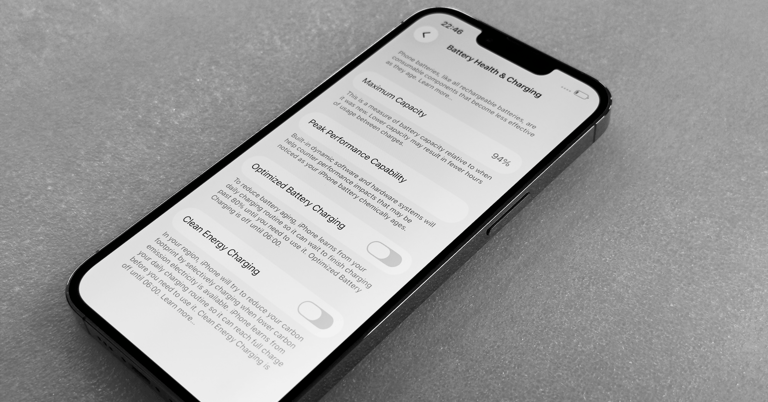
2.Cross-Verification Between System and Inspection Reports: Comprehensive Validation
The "Parts and Service History" feature added in iOS 18.5 and above is an important basis for identifying battery authenticity. Combined with third-party inspection reports, it can greatly improve identification accuracy. The specific verification logic is as follows:
If iOS displays "Unknown Part" but i4Tools/Sandman inspection report marks "Original Battery", the report data has been tampered with. "Unknown Part" is iOS's clear label for non-genuine batteries, and the "Original" conclusion in the inspection report conflicts with the system, showing obvious signs of fraud;
If iOS displays "Used" (original disassembled battery) and the inspection report marks "Original Battery", further verify the cycle count. If the reported cycle count is far lower than the implied service life of the device (e.g., 100 cycles for a 4-year-old device), the report data may have been modified;
The generation time of the inspection report is crucial. Reports older than 1 month may lose reference value, as merchants may tamper with data after generating the report. It is recommended to require the merchant to connect the device on-site to generate a real-time inspection report to ensure data freshness.
In addition, some high-end inspection tools (such as iMazing on PC) can read the original logs of the BMS chip. If the logs show prompts such as "data write records" or "abnormal changes in calibration values", it can also confirm data tampering.
3.Practical Usage Testing: Exposing False Data with Battery Life Performance
A battery with tampered data has a core flaw: "serious inconsistency between displayed health and actual battery life". There are clear reference standards for the battery life of normal used iPhones: Devices with 85%+ health should have 6-8 hours of light use (only social media browsing, web surfing, and occasional messaging); 4-6 hours of moderate use (video streaming, news reading, and occasional gaming); and 2-3 hours of heavy use (continuous gaming, video shooting).
If a used iPhone shows 90% health but less than 4 hours of light use battery life—far below the normal level—it can be determined as data fraud. The testing method should be standardized: Charge the battery to 100%, turn off background app refresh, location services, and 5G, set the brightness to 50%, and play local 1080P video continuously to record battery life. Batteries with 90%+ health should have a video playback time of no less than 7 hours; those with 80%-90% health should have no less than 5 hours; below this standard indicates data fraud or severe cell aging.
1.Online Purchase Scenario: Require the merchant to provide three core proofs—① Screenshot of the latest iOS "Parts and Service History"; ② Video of on-site cycle count query via "Analytics Data"; ③ Standardized video battery life test video (must show the health, cycle count, and battery life duration displayed on the phone screen). Only place an order if all three proofs are complete and consistent.
2.Offline Purchase Scenario: Complete four on-site operations—① Upgrade the phone to the latest iOS version and verify "Parts and Service History"; ② Query the cycle count according to the path and confirm consistency with the merchant's description; ③ Conduct a 30-minute video battery life test and record power consumption (should not exceed 15% normally); ④ Use a multimeter to test the battery terminal voltage (should be between 4.15V-4.2V when fully charged; if below 4.1V, the cell is aged).
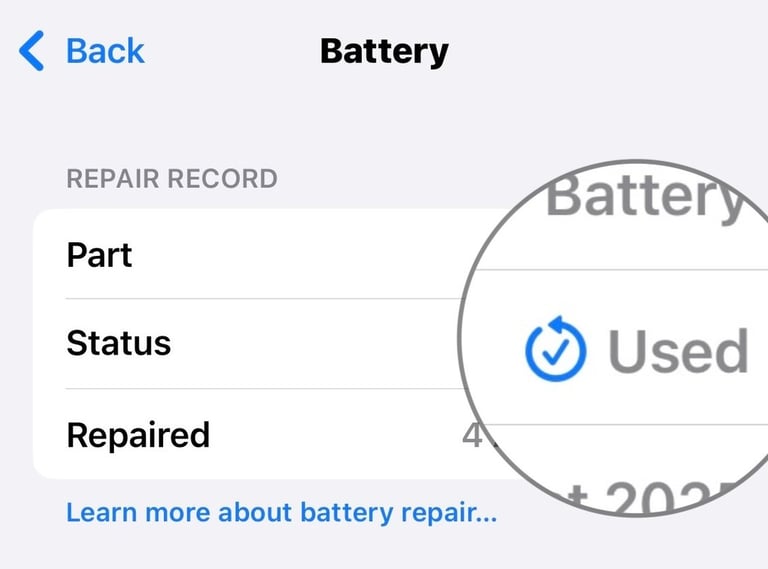
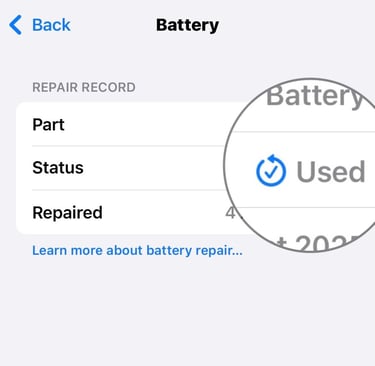
3.After-Sales Rights Protection Scenario: If data tampering is found after purchase, retain three types of evidence—① Screenshot of the battery data promised by the merchant at the time of purchase; ② System screenshot of the sharp drop in health after 1-3 months of use; ③ Comparative video of battery life tests. With the evidence, you can complain to the market supervision department or apply for a refund through the platform.
